


T9 NSE
Members
-
Joined
-
Last visited
Everything posted by T9 NSE
-
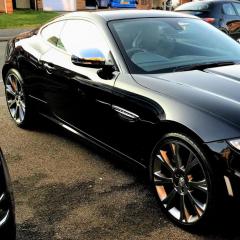 Hi all I have just bought a 2015 XJ and noticed the daytime running lights are not working. When I took it back to Jaguar they said this is normal for the pre J blade type which were introduced in late 2015. Has anybody got a XJ That has day time running lights. many thanks
 -

-

-
Hi, Grantham in Lincolnshire
-
Hi all I am new to the club but will be at Simply Jaguar hope to meet you all there.
-
-
Thanks! I will be using it as a daily car so the only way to choose will be to try them both.
-
I sold my 2008 XK in 2015 before I moved to the US for a couple of years. I am moving back to the UK early next year and want to upgrade to a 5.0 litre but can't decide between an older XKR or a newer XK. Is the XKR worth the extra?

