JoanneHawkins
Members
-
Joined
-
Last visited
Everything posted by JoanneHawkins
-
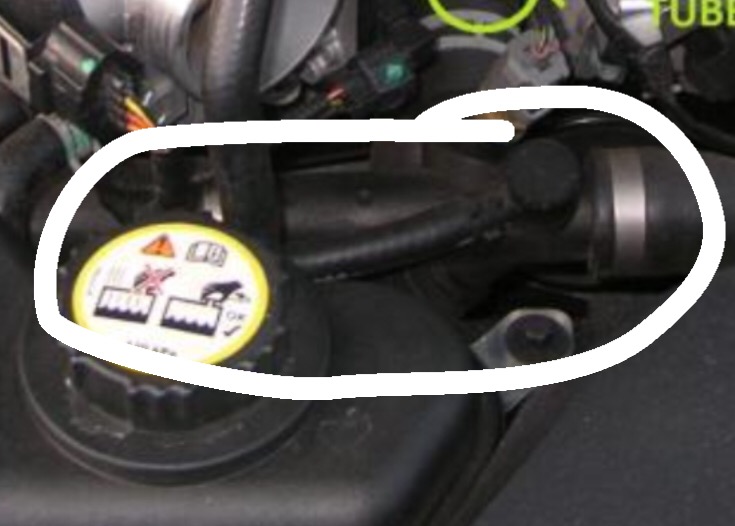
Hi I've had a slight leak on my coolant system for a while, have been able to keep on top of it but today a tube connector has completely broken off, does anyone know how easy it is replace the section as highlighted on the photo? It's a 2002 S Type Auto Petrol Thanks in advance
-
Hi all I'm a new member and wonder if anyone could help with an issue I have. A while ago an ABS light came on my dash and when I took it into the garage he said that it was an issue with the drive shaft and the exciter ring (a bit above my head I'm afraid) He was supposed to sort out and hasn't and it's now failed the MOT on this, no other issues on the car and still great to drive, sailed through on all other points. He's had difficulty getting a replacement and isn't sure if I will need a new/second hand/reconditioned drive shaft. Has anyone else had this issue and can give me some advice, is it going to be expensive? I have a 3 litre S Type Thanks in advance Joanne