


Skyhawk
Members
-
Joined
-
Last visited
-
 They found it! They changed the door sensor. Jaguar Plano in Texas, USA is the best. They came picked up the car, provided us with a loaner car and fixed the car the next day. I will be the first in line for a 2013. Love this car.
 -
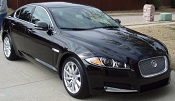
New to the club here. Just bought a 2012 XF. I have about 700 miles on it so far and experienced my first issue. Car would not power up after repeated attempts and just prior to inserting the key fob for an over ride start, the system fixed itself and the car started. Upon driving to work without any input from me the screen displayed " cruise control unavailable" for about 10 seconds. After a shut down and restart of the car, everything seems to have returned to normal. It's at the dealer now but so far they can't duplicate the problem. Anyone else with similar issues.
