


DanDan
Members
-
Joined
-
Last visited
-
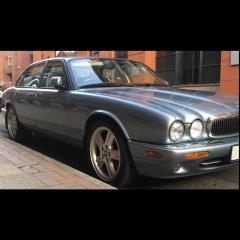 Hi, Peter, this is my '1st' post, also - I've only been a member 15 months .... :/ I'm urgently looking for ECU (corrupt) and Central Locking (jammed) repairs in Manchester; Classic Cats shut down over a year ago and the nearest now seems to be miles away. I wondered if you might have any type of listing from which you could recommend for these repairs, also the headlining (Sag!) repair / replacement on my 2002 XJ8 3.2 Sport. I have messaged a couple to no avail, Manchester seems to be rife with incompetence - which is worrying. I don't want her to be damaged as she is immaculate. Collect and Deliver is preferable as I have fibromyalgia and cannot always drive too far. Thanks! (Please...) Dan.
