


Stypesport
Members
-
Joined
-
Last visited
-
 Thanks will give it a go at a higher speed before i start pulling things apart lee
 -
Thanks Jo, mine doesn't have a click at all. It just takes a very light touch to turn the light on with minimal travel of the button. Think I will have to pop it out and have a look Lee
-
Hi would be interested to see how you get on, i noticed my button on the other day. Turned it off and noticed a day or so later it was back on. I turned it off and then re engaged sports mode at around 50 mph and felt no difference i.e drop a gear etc? forgive me for mentioning this but i used to have an Astra (company car not choice) and when the sport button was pressed in this it clearly dropped a gear and revved like crazy, is also sounded like a bag of nails. Lee
-
confirmed shes a sport plus not a sport 200, apologies for the double posting had the subject on the go in the newbie section as well. Lee
-
Turns out shes a straight forward sport plus, no sport 200! oh well
-
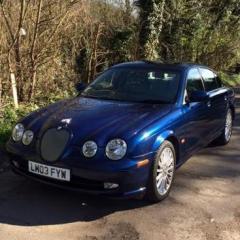
Stypesport changed their profile photo
-
Thanks Joe will give this a go
-
-
-
Hi all recently purchased a 2003 2.5V6 sport, great car to drive and it's my first Jag! Just trying to work out if it's a 200 sport or not at the mo. thanks!

-
Hi all, I have an S Type 2.5V6 Sport trying to get confirmation if it's a limited sport 200! I'm from the Kent area. This is my first Jag and have only had it a few months so far but it puts a smile on my face every time I jump in it. Hope to find out more about the car!


