


The Phreshman
Members
-
Joined
-
Last visited
Everything posted by The Phreshman
-
-
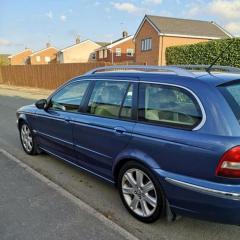
Hi Mark I've recently rejoined the Jag life, picked up a 06 X-Type 2.2d Estate on Friday... We had a V6 SType couple of years ago! What issues you having? Where in Yorkshire are you also, I'm North Yorkshire Moors 😁
-
So I've just picked up a 2006/06 Jaguar X-Type 2.2D Estate I've been digging deep under the bonnet, she could do with a service as the oil is black and the coolant looks tired.... But, the Power Steering Fluid looks like Milky Coffee! Steering feels a little heavy, but not making any strange noises.... Where do I need to look for symptoms? How big a job is it to change it?? Missed owning a Jaaaaaaaaaag 🤦🏼♂️


-
Now then, Just bought my first ever Jaguar ... Its a 2000 W S type 3litre V6 Seem to have a problem with the front passenger door lock, it sticks ... So if you unlock it from inside it doesn't lock with the remote, same if its locked it doesn't unlock with the remote, is it a simple fix??? Need to get her front brake pads sorted for her MOT as they're metal to metal, can't wait to get her on the road!! Also came across the original Motorola mobile phone in the glove compartment... Here's to being a Jag Owner :D


