Do Not Sell My Personal Information
Jump to content
View in the app

A better way to browse. Learn more.

Jaguar Owners Club

A full-screen app on your home screen with push notifications, badges and more.

To install this app on iOS and iPadOS
  1. Tap the Share icon in Safari
  2. Scroll the menu and tap Add to Home Screen.
  3. Tap Add in the top-right corner.
To install this app on Android
  1. Tap the 3-dot menu (⋮) in the top-right corner of the browser.
  2. Tap Add to Home screen or Install app.
  3. Confirm by tapping Install.

blanny

Members
  • Joined

  • Last visited

Everything posted by blanny

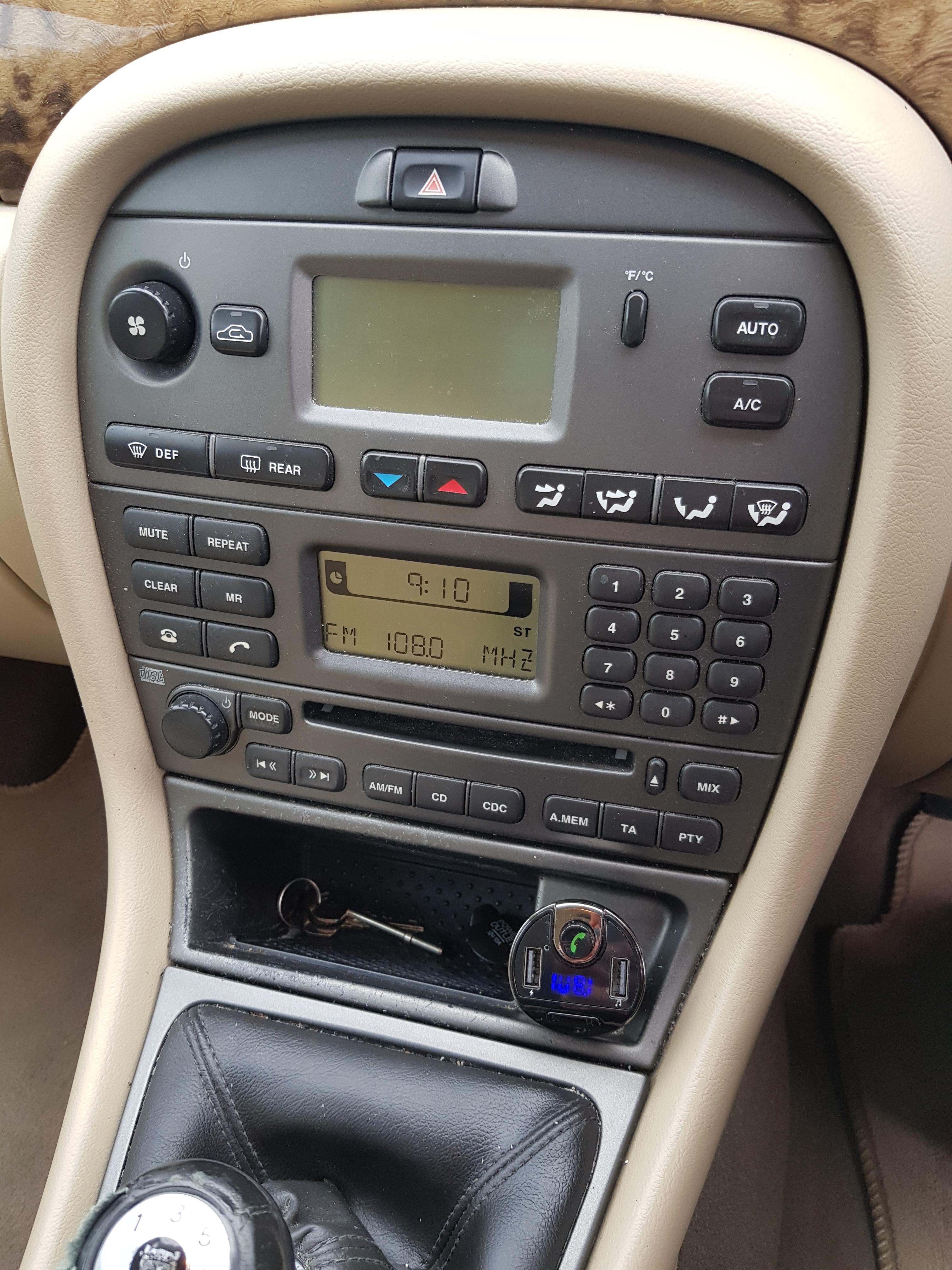
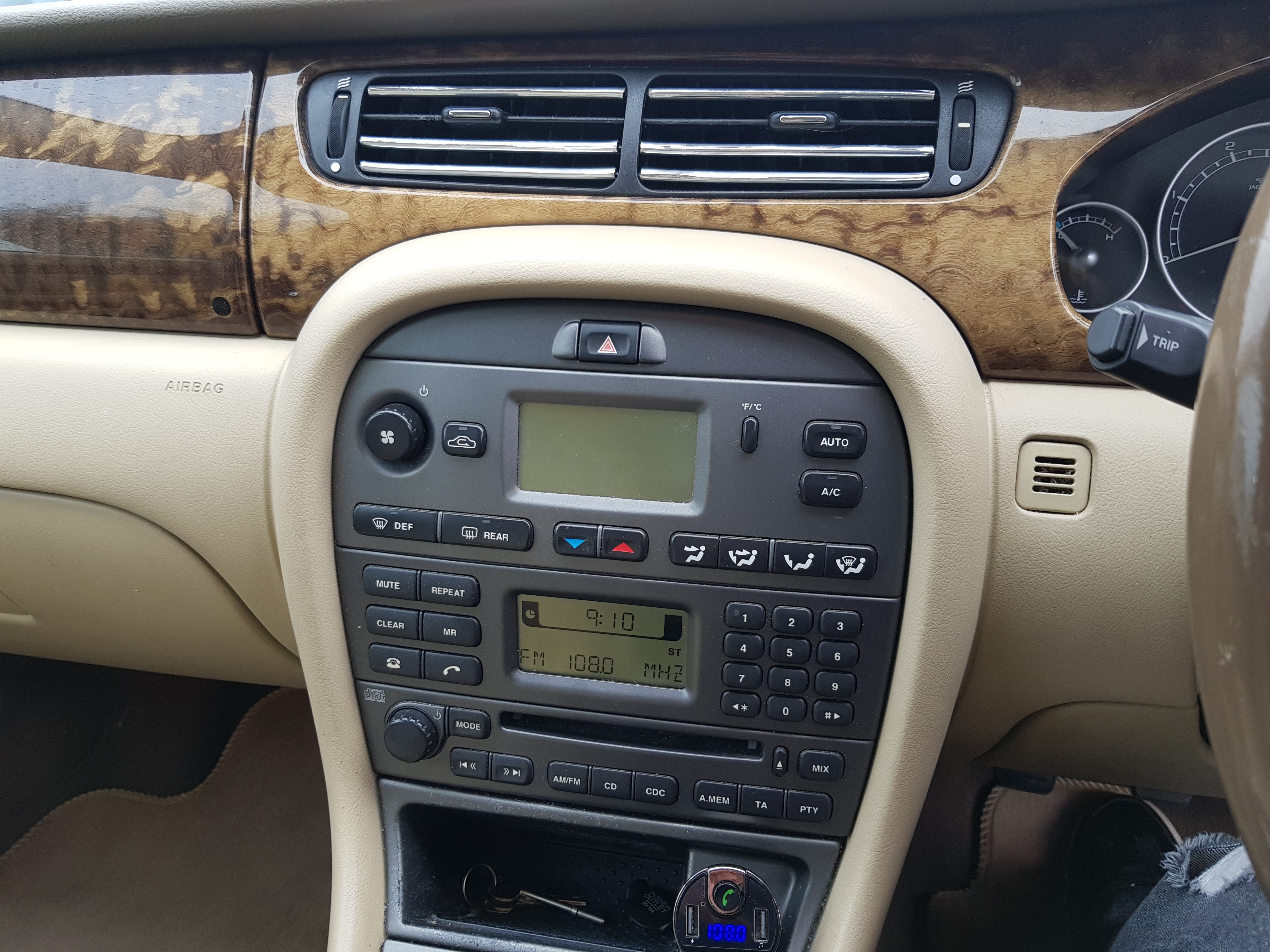
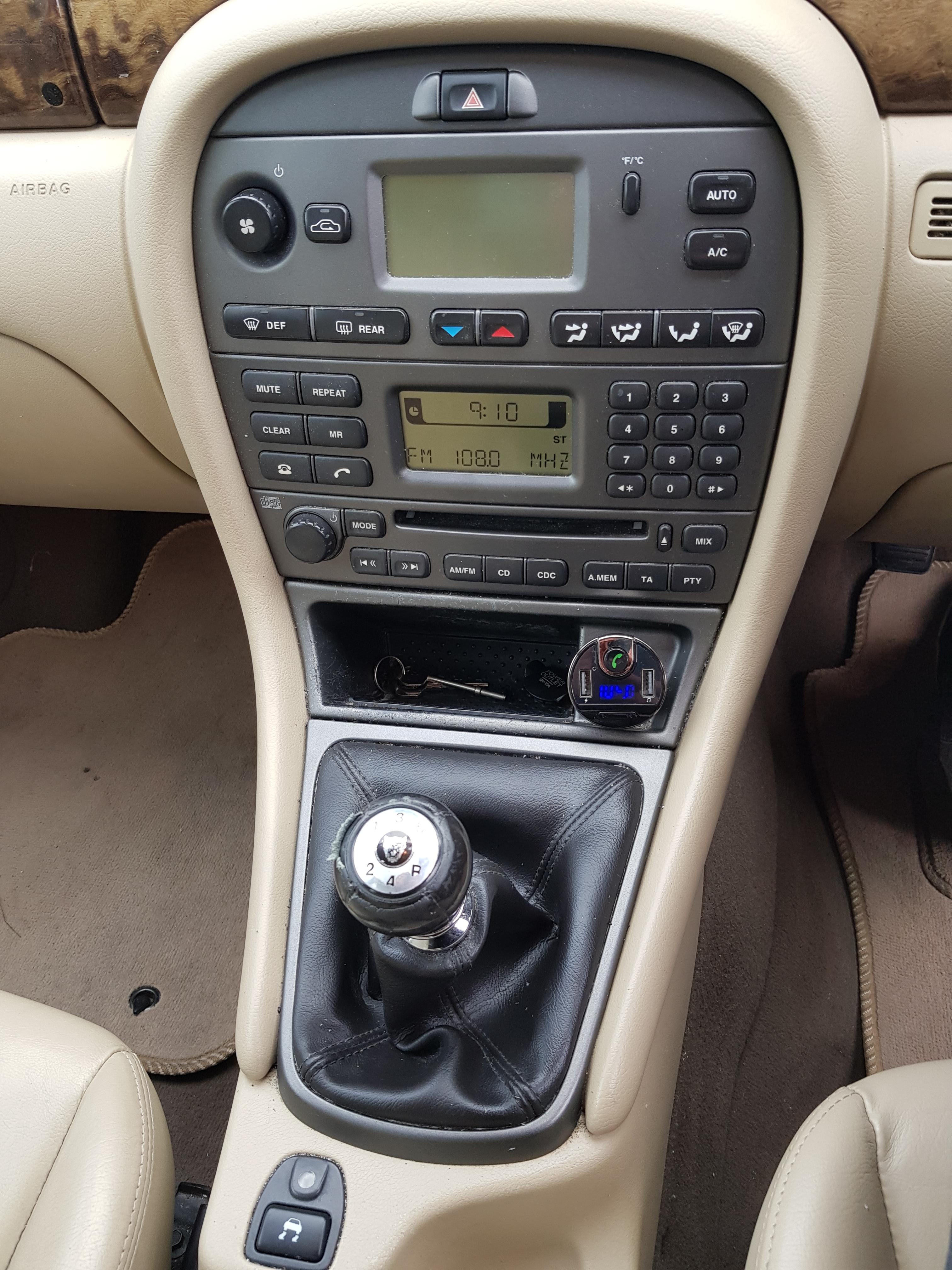
  1. Hi all, new jag owner here. . .. Recently purchased a X Type 2.0d SE with the lovely beige interior ;) Looking at replacing the current radio ( with dim screen, common problem i hear ) with a touch screen sat nav system . Is this possible... separating the heater panel from the radio and inserting a double din to house a touch screen . . Any advice is greatly appreciated . . . Pictures show its current state . .


Background Picker
Customize Layout

Account

Navigation

Search

Configure browser push notifications

Chrome (Android)
  1. Tap the lock icon next to the address bar.
  2. Tap Permissions → Notifications.
  3. Adjust your preference.
Chrome (Desktop)
  1. Click the padlock icon in the address bar.
  2. Select Site settings.
  3. Find Notifications and adjust your preference.