


RajPaul
Members
-
Joined
-
Last visited
-
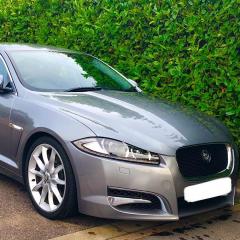 I opted for the premium luxury S. Still cannot believe that I was lost in BMW’s for such a long time. Ahhhh... the V8, now that’s a real engine.
 -
It was something that I was considering having installed, but shall steer clear now. If anything, I would like to upgrade the media system but am sure that it’ll come at a silly cost.
-
Thank you Leo. Thank you for your advice and comments I don’t think that my car has tpms as it has the normal tyre valves... which may be a blessing disguise then. I am having the wheels made correct instead of replacing them as I feel that with today’s technology, it should be just as good as buying new. As for potholes, which there are plenty of nowadays, I am avoiding them all like the plague and more. Aprt from this, super pleased with my purchase and am looking forward to keeping the car regardless of diesel-gate.
-
Hi All. Am new here as well as new to owning a Jaguar XF I have a Jaguar XFs (2 weeks and counting) and have already found issues!! 3 alloys with buckles and an interior light with a kind of it’s own. Wheels are being made true next week so hopefully that will resolve that issue Is there anything else that I should be keeping an eye out for? Otherwise... glad to have tuned my back on BMW Previously have had the pleasure of owning an S Type R too.
