


ajm stype30
Members
-
Joined
-
Last visited
Everything posted by ajm stype30
-
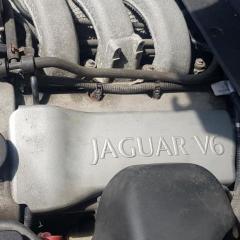 Thanks for the advice i have ordered 6 new coils pencils that got delivered today and awaiting for the spark plugs to turn up, I was aware of the manifold coming off so gonna have to wait for a free day as i have read it can take a while 😀.
 -
Hi everyone, Im ash new member as just recently purchased a 2000 S-Type 3.0 V6 I am having a misfire issue and car wont rev over 3000 rpm, i have had the car plugged into a scanner but its not throwing a code. I am thinking of changing all 6 coil pencils and spark plugs but was wondering ig anyone else had ever experienced this as well. Any advice would be greatly appreciated.
-
Hey everyone, Recently purchased a 2000 3.0 V6 S-Type auto, she needs some tlc to get her on the road but really excited for the adventure ahead. 😀😀
