


gilesd
Members
-
Joined
-
Last visited
Everything posted by gilesd
-
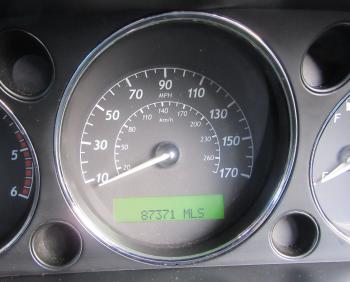
Just passed MOT, 4 new tyres, all recent service history & recent receipts. Cambelt done at 81K, last service done at 85K. "XJ" plate is included in sale, and supplied with 2 keys. Economic for a Jag - 30mpg since I've had it (does 35+ on a good run). There's one intermittent warning light - the yellow airbag light. Trim around driver's door has been repaired with tape (see pic). Paintwork overall excellent, a few light scratches/marks as would be expected for age. Any questions, please ask - happy to take additional photos upon request. Viewing welcomed - asking price for forum members £4495 ONO (currently advertised elsewhere at a higher price).




-
Thanks for the replies - I should have posted an update myself by now, so here goes. I looked into getting the holes patched, along with a partial respray (blended in along the lines), and was pretty convinced that the sprayshop I went to would do a good job, but at around £300, with no guarantee of a perfect finish, I decided against it. Instead, I started researching compatible badges. The most obvious was the S-Type, but as "The Voices" mentions above, the badges state the engine size (or "supercharged"), none of which apply to my 2.7 diesel! Finally, I found that the old XJS had a badge of the right size, and with the same hole pattern. I managed to track one down on eBay, though it was missing the "cup washer", which took a bit of finding - finally getting it from the USA! Must admit, the installation was fiddly to say the least, but I'm pleased with the result. I reckon I can live with it - I would much prefer nothing at all, but when I do have a spare £300, I'm sure there will always be something more important to spend it on car-wise, so I can see it staying as it is now. I certainly prefer it to the leaper - though in hindsight, it was a handy guide as to roughly where the end of the bonnet was! :-)

-
Hi all, I've just purchased my first Jag, a 2006 XJ Sport (2.7L diesel). Anyway, I know it's a "marmite" subject, but a previous owner has fitted a "leaper" to the bonnet, and I'm afraid I'm not keen. Just for me, on this vehicle, it looks a bit too "showy" for my liking, and I'm also concerned about the possibility of damage being caused, if some idiot did try to forcibly remove it. So I'm after a bit of advice - I haven't yet managed to remove it (it's secured from underneath by a large bolt - I don't have the correct size/depth socket) - but I believe there will be two holes in the bonnet. Ideally, I'd like to get it filled/sprayed, but suspect this will be expensive. In the meantime, I'm thinking of covering the holes with a "growler" badge of some description. Not ideal, as there's already a small one just above the grill. I've purchased something which I thought would be suitable, an "XR851456" - I believe from the grille of the S-Type. It's arrived, and unfortunately, I hadn't realised that it wasn't flat, which I imagine is what I would need. Just wondered if anyone else had done similar with any degree of success, and, if so, any advice they could offer - and perhaps an alternative badge that would do the trick? Thank you in advance!


