


Pipertel
Members
-
Joined
-
Last visited
-
 Thanks Rob - I do a quite a bit of rural driving so that's very helpful. Cheers Terry
 -
Hi, I am a relative newbie to the forum having acquired my 08 reg 2.2D Sovereign about six weeks ago. I know from the forum that the poor illumination from the headlights is not a new problem and I have read the applicable posts. I am. however, confused with regards the replacements available. I know I must have H1 448 fitting but if I wish to fit Oram Nightbreaker Plus or unlimited are they a straight plug in or do they require additional wiring/electronics/starters? Thanks Terry
-
Pipertel changed their profile photo
-
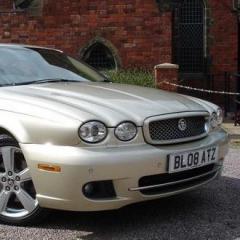
HI all, Next week I will have my first ever Jaguar. A lovely 2008 (08) X-type 2.2d Sovereign that's already had a clutch DMF replacement. Always bought sensible/practical cars all my life and now I'm older, retired and nostalgic I think I'm entitled to buy a car with my heart rather than my head LOL! Really looking forward to it and although I know all is not always plain sailing with these cars I'll know I have the support of the experience in the forum members so thank you all in advance. Terry
