


Harlow2009
Members
-
Joined
-
Last visited
-
 Hi guys, looking for some advice please? Just brought a future classic xj looking to replace the illumination control module but every says it is located under the steering cowling behind the ignition barrel but this seems to be pre 98. Mine is a later chassis 82....... which looks to be a different looking module. I've stripped down all the steering column but it's not there. Does anybody here know where its located please? Car is 1998 XJ 4.0 V8 Much appreciated Dave
 -
Hi just a question, does anybody have and genuine floor mats fors sale?
-
Harlow2009 changed their profile photo
-
What colour as I'm after a n/s/f wing paint code HGZ
-
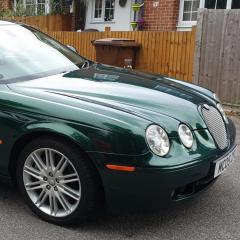
Hey, I'm looking for a 2005 s type n/s/f wing in racing green (HGZ) If anybody can help
-
Harlow2009 joined the community
-
Hi please can somebody help, I would like to have the phone fitted to my new s type had it in my old one. Could somebody point me in the direction of buying all the parts required
