


THECHOIRMASTER
Members
-
Joined
-
Last visited
Everything posted by THECHOIRMASTER
-
 Hi, have you taken the disk out and cleaned it? It may make a difference. I had a recent problem with dampness/condensation on the disk - screen went blank and controls didn't function. A kitchen towel folded over a palette knife and carefully inserted into the sat. nav. dvd slot can remove dirt and moisture. A cheap fix if it works.
 -
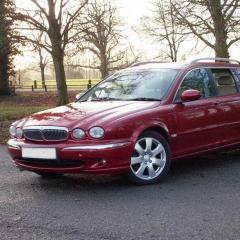
 Love this car. My first X Type - 2006 2.0D SE in Midnight was sadly broadsided at a crossroads and written off!
 -
Had a similar problem the other evening (2006 X Type Estate - U.K.). Touch screen went blank and heater started belching hot air from screen vents only - seemed to have gone into defrost mode. Buttons around screen not working. Codes on lcd below screen alternatively C1 51 52. Next morning all was normal again apart from cabin temperature had reset to 23 deg C rather than 19. A short while later the same problem came back. I ejected the sat nav cd and found a small amount of moisture on it. Carefully inserted a paper towel wrapped round a palette knife into the cd slot and that came out slightly damp. Started the engine and re-inserted the cd and let it reload for 10 minutes and, lo and behold, the touch screen came back to life (this is the original 2005/6 disk by the way). A couple of oddities however - the jaguar logo screen has a much enhanced and more detailed image of the leaper on a dark green background and the sat nav map was the middle of Brussels! Thinking this problem must have been caused by dampness I have placed a large silica gel bag in the compartment with the cd drive. The map reset itself after about 5 mins back to dear old Bedfordhire (plenty of Brussels here but only the sprout variety!). The problem came and went for a couple of days but, touch wood, seems to be okay now. I lost previous destinations on the sat nav but that is not a problem and gained a sparkling new logo screen - weird! This seems to be a weather/climate related problem.
-
Good afternoon. Collected my first Jaguar (X Type 2.0D SE) last Friday. Totally smitten! My late stepfather was a long time Jaguar owner, his last being a Mk II in ivory. Also remeber riding in my uncle's XJ6 in 1974 and him filling up both tanks (22 gals) for the scandalous sum of £15. The XJ6 was eventually replaced by a Daimler Double-Six - stunning! Never thought I would join this illustrious line but here we are.
