


Maxwell44
Members
-
Joined
-
Last visited
-
-
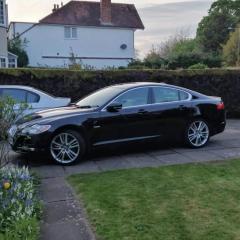
Hi all New to the forum; recently purchased a tidy 10-plate XF-S in great condition and 92k on the clock. It was going cheap due to an ABS fault and oil leaks from failing rocker covers - now all sorted. The 9-speaker Jaguar Premium sound system is decent, but I presume the B&W is notably better. I understand several XF owners have upgraded over the years; it will be helpful to understand the benefit and challenges before deciding whether it is worthwhile. I have no qualms shelling out ~£350 on the amp and speakers from an ebay breaker and swapping-out the drivers and amp. While I have SDD, the challenge of programming modules and CCF files isn't attractive; what is likely to cost to get the kit enabled once installed, and where could I have that done, please? Is all that is required an update of the CCF and programming of the new amp to match the VIN of my vehicle? Given I already have the Jaguar sub-woofer and it is rather substandard (small driver; poor depth and linearity), I intend to fit a modest aftermarket sub with a dedicated amp and use the existing sub inputs as a high-level source signal. Any thoughts, perspective or advice will be gratefully received. Cheers, Max
