


DCZ1643
Members
-
Joined
-
Last visited
-
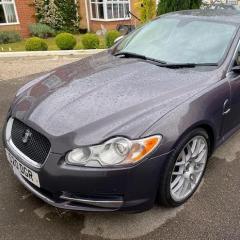 DCZ1643 changed their profile photo
 -
Just joined and this is my first post. I have a 2010 XF Sport (110,000 miles) and I have just booked it in for a major service and cam belt change. I have booked it in with a company in Stockton-on-Tees, called Jag Tech. They are an independent Jag specialist company, who not only use all genuine Jag parts but also update the on-line service history. I thought their prices to be very reasonable. The belt change is £300, including vat and the cambelt change is £469.20 including vat. Until last year, I had always used the local Jag Dealer for any work on my car but they did such a bad job on an expensive repair, I swore never to use them again. The car needed a new intercooler on the turbo, which was specifically excluded in the small print on the extended warranty. The cost of the job was around £1000, they had the car most of the week and could not offer me a customer car. The day I picked it up, I drove about 2 miles when the dashboard lit up with warnings and the car went into limp mode. I pulled over and discovered I had lost all of the engine coolant, as the bottom hose had come off. It turns out they hadn't put a clip on it? Needles to say the car had to be recovered back to the garage! I will let people know how things go with Jag Tech after the work has been done....Derek
