


JAMMO336
Members
-
Joined
-
Last visited
-
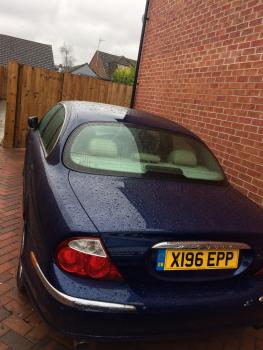
Hi, i joined this club in hopes to give my S-Type a good new home. Big Blue is a beautiful car that I really want to see someone drive home. Please contact me if you are interested via email; [email protected]
.thumb.jpeg.df59047c33c246bf4483798460517608.jpeg)
-
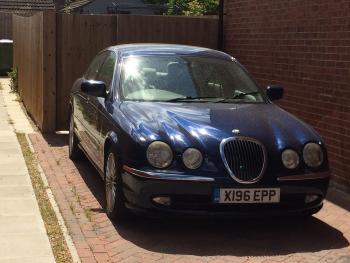
Hi all, If anyone is interested I would like to sell my car. It is a dark blue S-Type with a 3.0 v6. It has the 5 speed automatic gearbox and has recently had a new MOT done on it. Admittedly it still needs some work doing to it but it's a good overall car with under 80,000 miles. I would like £800 for the car. If you would like more pictures and info please contact me vie email on [email protected]
-
JAMMO336 joined the community
-
Hi all, my parents have given me a 2000 Jaguar s type 3.0 v6. However the car has been sitting for about 3 years. I have had work done to it so now it has a new MOT but I can afford to be insured on the car. Does anyone know what I can do with it. It’s a low mileage car with 78k miles.
.jpeg.5d1209fd949afe72e576472627a9f192.jpeg)

