


Wizzard
Members
-
Joined
-
Last visited
-
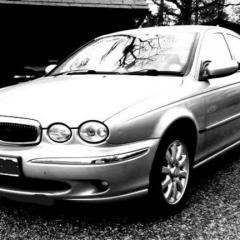 Hi All, Picked my new baby up now and running well, apart from needing a new battery... 2003 car having only covered about 10k since 2007!! A few bits and bobs need sorting, but here's a pic before it has its jobs done! 🙂🙂
-
Yes, it is a beautiful well cared for 2003, having only covered 66,000. Delighted to find it! Thank you 🙂
-
Sorry for my delay in replying! As usual work got in the way of life!! Here is my beauty that I collect tomorrow!!

-
Wizzard changed their profile photo
-
Hi there! Wizzard from Lincs, nice to meet you all. I am collecting my very first Jag on Saturday!! Thanks for letting me join!


