


Giymo85
Members
-
Joined
-
Last visited
-
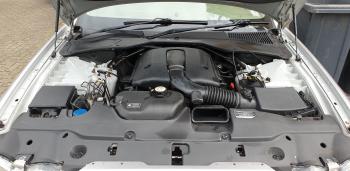
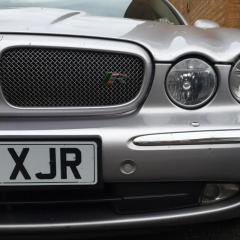 Sadly had to put my lovely XJR up for sale for what I hope is a fair price. Be really good to see it go to a decent home so if anyone is interested please feel free to contact me or take a look at the car on my eBay ad where I have put loads of information. https://www.ebay.co.uk/itm/393357694254
-
Giymo85 changed their profile photo
-
Hi all, I am a new member and almost new to Jaguar ownership. Having had company cars for over a decade I had to get something of my own recently so picked up a cheap, sensible X-Type diesel. I have a 110 mile round trip each day so it was ideal. Just one week later and the chance to get something a whole lot less suited to the job came up and I thought, ah hell - who wants to be sensible anyway? As a result I now find myself owning a 2004 XJR with a frankly wonderful number plate. I have already fallen totally in love with the car and am looking forward to being a part of the community.


