Do Not Sell My Personal Information
Jump to content
View in the app

A better way to browse. Learn more.

Jaguar Owners Club

A full-screen app on your home screen with push notifications, badges and more.

To install this app on iOS and iPadOS
  1. Tap the Share icon in Safari
  2. Scroll the menu and tap Add to Home Screen.
  3. Tap Add in the top-right corner.
To install this app on Android
  1. Tap the 3-dot menu (⋮) in the top-right corner of the browser.
  2. Tap Add to Home screen or Install app.
  3. Confirm by tapping Install.

Benjibooji

Members
  • Joined

  • Last visited

Everything posted by Benjibooji

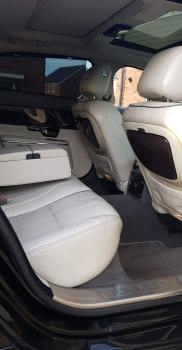
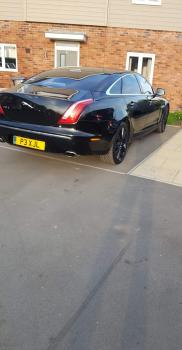
  1. Hi everyone, hope you are all well! I've only just found your club and I'm on my 3rd Jaguar now. I've previously owned a 2001 xk8 and a 1997 xj6 executive. I have very recently acquired a 2010 xjl portfolio 3.0 td which unfortunately has developed a very annoying gearbox fault. (Photo's of my recent acquisition at end of post) I'm looking forward to sharing knowledge and just having a good chat on this forum. Cheers, Ben.

Background Picker
Customize Layout

Account

Navigation

Search

Configure browser push notifications

Chrome (Android)
  1. Tap the lock icon next to the address bar.
  2. Tap Permissions → Notifications.
  3. Adjust your preference.
Chrome (Desktop)
  1. Click the padlock icon in the address bar.
  2. Select Site settings.
  3. Find Notifications and adjust your preference.