


RJDurr
Members
-
Joined
-
Last visited
Everything posted by RJDurr
-
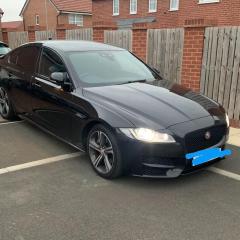 Hi everyone, just bought my first Jaguar. I have a Jaguar XF R-sport 2015 2.0 diesel. I’m already looking and getting the alloys refurbished with diamond cut, a few scratches need taking care off and I am looking into getting apple car play fitted as well, any suggestions of where to go for this work would be hugely appreciated. Thank you and I look forward to getting to know you all!
