


Derek Scarlett
Members
-
Joined
-
Last visited
Everything posted by Derek Scarlett
-


From the album: Derek scarlett
-
This is my new car are recently purchased to replace my s-type it's an xf 2010 model 3.0 24v quad cam v6 with 58000 miles in the clock.i have added various chrome after market parts and it's taken me ages to get the paint work to a mirror finish the cars colour is black pearl. I have just had my wheels and brake calipers stripped and powder coated the wheels are shadow chrome in colour and calipers are yellow
-

From the album: Derek scarlett
-

From the album: Derek scarlett
-

From the album: Derek scarlett
-

From the album: Derek scarlett
-

From the album: Derek scarlett
-
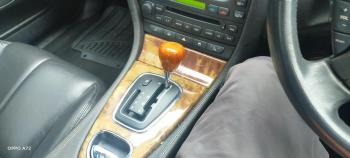
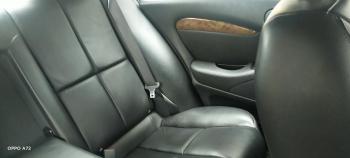
Hi I am Derek scarlett and previously owned a Jaguar X type for a year then decided I wanted a bigger s type I eventually found one with 61000 miles on the clock and the car come with every mot certificate since new.


-

From the album: Derek scarlett
-

From the album: Derek scarlett
-

From the album: Derek scarlett
-

From the album: Derek scarlett
-

From the album: Derek scarlett
-
this is my 61000 mile s type Jaguar I have all the mots since new .





