


GaryPatt
Members
-
Joined
-
Last visited
Everything posted by GaryPatt
-

From the album: Mr Gary Patterson
-
Had XF a week and 1st chance to give it a clean
-

From the album: Mr Gary Patterson
-

From the album: Mr Gary Patterson
-

From the album: Mr Gary Patterson
-

From the album: Mr Gary Patterson
-

From the album: Mr Gary Patterson
-

From the album: Mr Gary Patterson
-

From the album: Mr Gary Patterson
-

From the album: Mr Gary Patterson
-
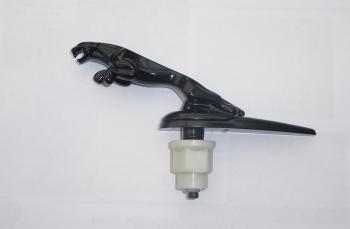
Thanks Gents, no leaper then...I had one on my old 78 XJ6 and thought it looked good...maybe it didnt Anyway thanks
-
black leaper.jfif
-
Thanks Gents , booked in for next week plus water pump
-
Hi Everyone, not new to Jags as I have owned for over 20years, bought my first XF yesterday 2011 with 110000 miles MOTs show no fails or advisories for last 4 years all bar a bulb. 3.0 Ltr Diesel Premium Luxury Car is in good condition and drives great, But no service history...I know I know "always buy a used Jag with history" but i couldn't resist it. Went to Jag website to try to get info but showing no history at all? I find that a bit strange as you would think at some point in the cars life it would have had either dealer or specialist service? Anyway nothing showing, can i find this elsewhere? my only concern is cambelts so is there anyway of telling if this has been changed/done? Booked for a service and all fluids changed for next week with my trusty mechanic who has worked on my Jags for 5/6 years now




