Bill b
Members
-
Joined
-
Last visited
-
I own a 2016 F-Type S 6 speed, for what ever reason the reverse lamps don’t function when the car is in reverse. These are the LED vertical light fixtures. The red fog lights work. The fuse is good. My guess it’s the reverse switch on the transmission, as I will have to crawl under the car to inspect and my online repair manual doesn’t show the location can anyone direct me to the proper location of the switch? Thanks
-
On my 94 XJS 2+2 the seat would only move with the ignition off an inch or so in either direction. I would have to activate the switch again to move the seat further. With the ignition on the seat would move in either direction fully. I discovered this when I would want to vacuum or clean something from outside the interior and needed to move the seat. I hope this helps.
-
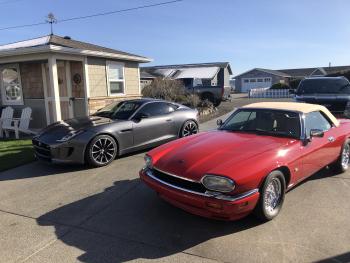
Hello, my names Bill and I recently purchased a 2016 F-Type S 6spd , this is our third Jaguar as we have owned a 1988 XJ6 (XJ40) and a 1994 XJS 2+2 that we recently sold to free up space for the F-Type. I’m excited about joining your site and look forward to it’s use.