Mike Dallimore
Members
-
Joined
-
Last visited
-
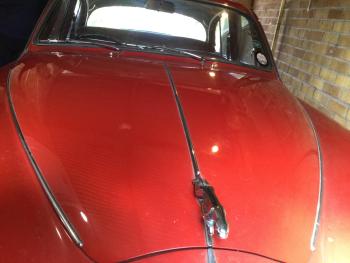
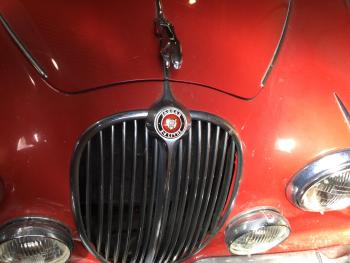
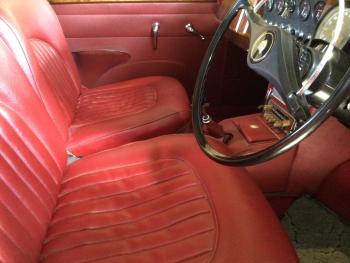
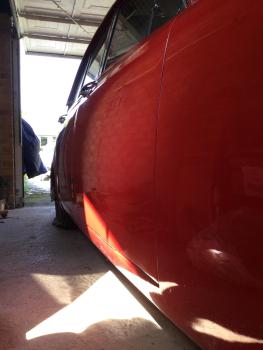
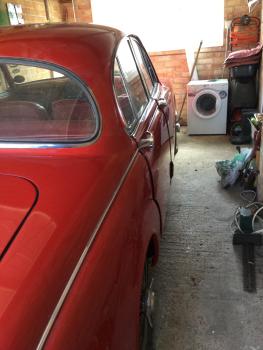
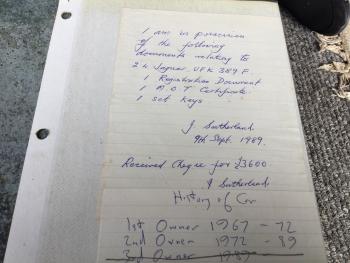
Posting on behalf of my elderly parents ; Due to ill health (Parkinson’s) my dad has reluctantly decided to sell his 1967 mark 2 manual 2.4 bright solid red 88,000 ms , wire wheels he has proof of ownership ( 3 rd owner) since he bought it in 1989. As a consequence of his immobility , and the fact that I , his son, live in TAS Australia , the car hasn’t been started in several years . The car underwent a restoration in the early 90s and dad drove it into their house garage after that . It has been there ever since . He use to start it religiously each Saturday morning and drive it up and down the drive . We are looking to sell it as is ( he hasn’t the energy to do or arrange the restorative mechanical work himself or get someone to do it) . Therefore, this car presents a fantastic opportunity to buy a solid bodied ( all rust cut out and replaced professionally during restoration ) , clean and presentable leather look interior ( all original) car that requires work to make it run. Selling for 9500 k ono as a reflection of the restorative work needed for any car that has been sat a fair while . Located in Horspath Oxford Thx Mike Advertising for them as the internet is beyond them tassiepomgmail.com