
Do Not Sell My Personal Information
Jump to content
View in the app

A better way to browse. Learn more.

Jaguar Owners Club

A full-screen app on your home screen with push notifications, badges and more.

To install this app on iOS and iPadOS
  1. Tap the Share icon in Safari
  2. Scroll the menu and tap Add to Home Screen.
  3. Tap Add in the top-right corner.
To install this app on Android
  1. Tap the 3-dot menu (⋮) in the top-right corner of the browser.
  2. Tap Add to Home screen or Install app.
  3. Confirm by tapping Install.

Steesh

Members
  • Joined

  • Last visited

  1. Hi, sounds like the off side rear brake or in that area, maybe the pads are loose or something
  2. Hi, i had a quote from a Jaguar garage to do my 3.0d V6 S and they were going to charge £1300! Local garage still quoted me £950 for it so i must be getting a raw deal lol
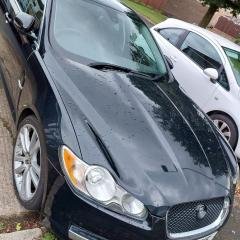
  3. Steesh changed their profile photo
  4. Hi, just joined the site, bought a 2011 Jaguar 3.0d S V6 about 2 weeks ago and so far i am loving it, will probably be looking for hints and tips to fix issues that crop up in the future, so far only issue is the rear off side brake makes a slight thonk noise when coming to stop but thats probably nothing to worry about. Thanks

Background Picker
Customize Layout

Account

Navigation

Search

Configure browser push notifications

Chrome (Android)
  1. Tap the lock icon next to the address bar.
  2. Tap Permissions → Notifications.
  3. Adjust your preference.
Chrome (Desktop)
  1. Click the padlock icon in the address bar.
  2. Select Site settings.
  3. Find Notifications and adjust your preference.