


DIH
Members
-
Joined
-
Last visited
-
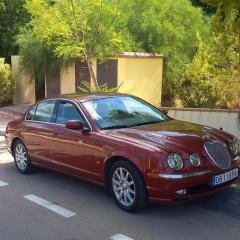 Just knowing someone is enjoying their time Chris with a beautiful Jaguar model is 'music to my ears' ! Best regards, David 🇪🇸
 -
DIH changed their profile photo
-
Hi Everyone, feel pretty proud to have just retired and bought the car I've always wanted ... 2003 S-type V6 automatic/ petrol. As I live in Spain it is LHD and is much better than I could ever imagined !! However, certain areas need updating. I'm hoping this is a good quality forum to ask some maybe 'silly' questions. 1. How do I update my sat nav. There is a disc in the sat box above the cd loaded in the boot. Can I purchase a current disc in Spain or off the Internet ? 2. There is a phone in the front handrest but I want to connect my android mobile into the system but when I go into phone the screen says 'NO PHONE FITTED' ! Any help would be very much appreciated and I'm sooo enjoying getting to know my 20 year old Jaguar 👌💛 . Bit long winded but so happy to have joined the 'OWNERS CLUB' Regards, David
