


nudgermanning
Members
-
Joined
-
Last visited
-
 Ok, as no one seems to be able to help ref this fault, does anyone know how to remove the master window switch from the door card? I've had the card off but it's not obvious how the switch is removed?
 -
Afternoon all, I stupidly left my front drivers window open during the heavy rain over the weekend and now the window / mirror switch won't work. Connected it up to icarsoft and it's showing the following fault B1087-87 Lan bus A. Is this as simple as a blown fuse or something more serious? All help is greatly appreciated
-
nudgermanning changed their profile photo
-
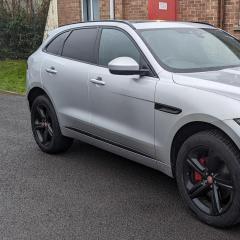
Evening all, just wanted to introduce myself and thankyou for letting me join the club. Recently lost my jaguar virginity by getting an F Pace S after writing off my previous Audi Q5 in the floods. Fancied something different with a bit more bite and first impressions have certainly been positive. Long may it continue I say


