


Battle817
Members
-
Joined
-
Last visited
-
 Unfortunately I do not have a 2nd key. The 1st time I got locked out I was looking to get a 2nd key fob and a key cut. I could try that.
 -
Yes, just when the key won't work.
-
These are the codes that Midas found.


-
I don't have a key cut for it yet. When I try to put it in the dock it tells me that the smart key is not found. So I have been using my key fob.
-
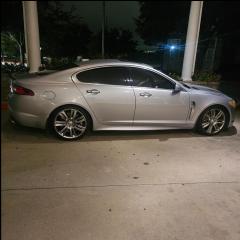
2010 Jaguar XFR Supercharged My car is locking me out. It will not read my key, while it in my hand. When I push the button to unlock the door it will not unlock or lock, none of the buttons work when it's doing this. Eventually, I am able to get the door unlocked. Then when I get in to start the car, it says "no smart key found." When I unhook the car battery and plug it back up I am able to open the door and start the car. Does anyone know why what this could be? I have gone to different shops, and they say, it's my key. But if I buy another key and it continues to keep happening, I would have spent over seven hundred dollars for a key for nothing. I have noticed that the 2 times it happened to me it had been raining. I don't know if that has any significance. Ps. NEW BATTERY IN THE FOB and in car.

