Do Not Sell My Personal Information
Jump to content
View in the app

A better way to browse. Learn more.

Jaguar Owners Club

A full-screen app on your home screen with push notifications, badges and more.

To install this app on iOS and iPadOS
  1. Tap the Share icon in Safari
  2. Scroll the menu and tap Add to Home Screen.
  3. Tap Add in the top-right corner.
To install this app on Android
  1. Tap the 3-dot menu (⋮) in the top-right corner of the browser.
  2. Tap Add to Home screen or Install app.
  3. Confirm by tapping Install.

Rascal

Members
  • Joined

  • Last visited

  1. Hi Jim, thanks for the info that makes sense, thought they were a little unusual. regards Russ
  2. Rascal joined the community
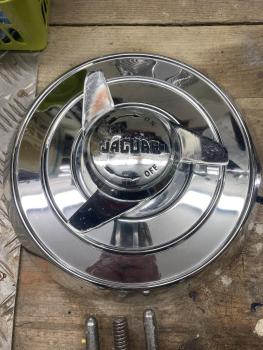
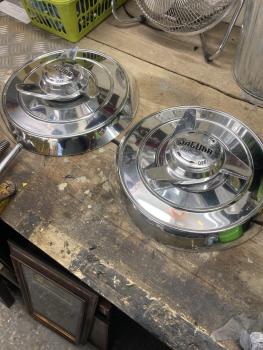
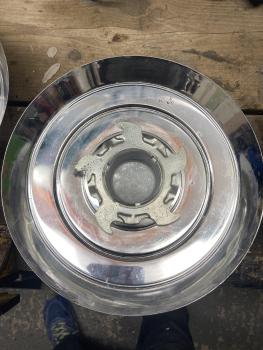
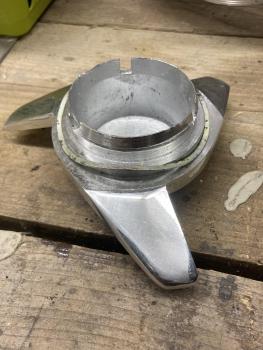
  3. Hi all, I’ve had these for more than 30 years sitting in my garage, they were given to me when I worked at Guy Salmon jaguar but I haven’t a clue which car they come off, on the back of the hub cap they have printed faint writing and date 1964 I think, the spinners/hub nuts separate from the hub caps with a spring clip. any help appreciated thanks
Background Picker
Customize Layout

Account

Navigation

Search

Configure browser push notifications

Chrome (Android)
  1. Tap the lock icon next to the address bar.
  2. Tap Permissions → Notifications.
  3. Adjust your preference.
Chrome (Desktop)
  1. Click the padlock icon in the address bar.
  2. Select Site settings.
  3. Find Notifications and adjust your preference.