


Chocolatemonk
Members
-
Joined
-
Last visited
-
 Thanks for all the reply's, I'm not sure that I will bother to be honest!
 -
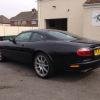
I have recently bought an XKR and thinking about fitting it with a tracker, its 2001 model so obviously not high value but still I want to keep it safe, what is the general feeling around tracker devices and does anyone have any recommendations?
-
Thanks very much for that very accurate information, I think I will get it done for peace of mind!
-
What was your old ride mate?
-
Hahahaha...... No mate I don't think I would get away with that, I don't think she will be piloting, if you saw the way she drives her Polo you would understand, them 20" bad boy rims wouldn't last 5 minutes! I think she just happy for me to drive thankfully!
-
Hi Dave, Yes this is my first Jag, I am really looking forward to it.... but not as much as my mrs! Martin
-
I have just bought a 2001 XKR 100 that has full Alpine system including Sat Nav, does anyone know if up to date Sat Nav discs are available as I seem to have drawn a blank!
-
Thanks for that info, I have XKR with 5 speed Mercedes automatic transmission, the car has done 82k miles, I'm not sure how its been driven but I intend to drive it hard! My gut feeling is to get it changed even though Jaguar say 'sealed for life'. I have a friend who builts automatic gearbox's and he can do it for £100 that includes the filter and oil!
-
Does anyone have a view on auto box oil changes/ intervals?
-
Hi, I have just bought a 2001 XKR 100, I can't wait have it next week..... So exciting!
