


Lockwood
Members
-
Joined
-
Last visited
Everything posted by Lockwood
-
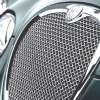 Hi As you may know we already produce a stainless steel woven insert for the upper S- Type grille. We have now produced a lower grille to complement the upper. However we are looking for an early S-type for us to do a final fit and photograph of this stunning grille. We are looking for somebody that is in or around the Leeds area that would be willing to bring their S-Type to assist us in this. The person who can assist us with this will receive the fitted grille FREE of charge as a token of our appreciation. The model must be the early S-Type (this is the model WITHOUT a badge on the upper grille) Below is a Picture taken Before the Grille was electro polished as we fitted it to our test bumper. As a taster; here is a photo of an upper and lower Grille we already produce for the X-Type. With your assistance we are about to add the S-Type grilles to our range. If you are interested in helping us please contact us by email ([email protected]) or By phone (0113 2440070) Many Thanks Steve Lockwood International


