


AdamP
Members
-
Joined
-
Last visited
Everything posted by AdamP
-
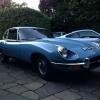 Hello all, Just a quick note to say hi and looking forward to getting you know you guys both in the forum and real life too. I've owned and enjoyed an XK8 for seven years and just put it in storage as convinced it's a future classic! Also own an 89 XJ-S with my dad and we show it at local events in the summer. Just bought a '69 E-Type Series 2 last week and enjoying it lots. Already had some of the usual problems like sticking float needles but nothing too tricky that couldn't be fixed :-) Daily driver is a 911 (sorry hardened Jag fans - they are just too reliable)! Jags are in the blood though - my first ride was in a 69 E-Type (see pic of me attached)! That was my dad''s last E that he sold in the early 80s. Living in Leamington Spa and usually work in London. If you're local to leamington then would be good to get chatting. I met one other E-Type owner in Leamington last week that flagged me down - we a going to keep in touch and he's restoring a series 2. All the best Adam PS I'm a daily Instagram poster - you can see my feed here if you want to see more pics :-) www.instagram.com/trade_classics
-
Just a few pics of my current cars :-)
