
Do Not Sell My Personal Information
Jump to content
View in the app

A better way to browse. Learn more.

Jaguar Owners Club

A full-screen app on your home screen with push notifications, badges and more.

To install this app on iOS and iPadOS
  1. Tap the Share icon in Safari
  2. Scroll the menu and tap Add to Home Screen.
  3. Tap Add in the top-right corner.
To install this app on Android
  1. Tap the 3-dot menu (⋮) in the top-right corner of the browser.
  2. Tap Add to Home screen or Install app.
  3. Confirm by tapping Install.

Vmax

Members
  • Joined

  • Last visited

  1. Evening all, I've recently joined - great site! Here is a couple of pics of my XJ.

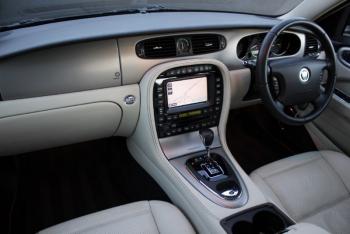
  2. Evening all. Can anyone help with this? I have suddenly lost my sat nav voice ( the maps work fine) blue tooth phone and the CD stacker will not operate? Any suggestions please folks? Jaguar XJ 2007 TDVI.
  3. Vmax replied to Vmax's topic in 1981 to 1994 XJ
    Thanks Peter, I've just put another couple of pints of washer fluid in and everything is now working fine. Strange.......
  4. Vmax replied to Vmax's topic in 1981 to 1994 XJ
    Sorry I should have mentioned its a 2007 XJ TDVI
  5. Hello all. I have a problem with my windscreen washer wipers. When pressing the auto wash button on the stalk the fluid squirts out but the wipers don't wipe. They work when used normally and the auto wiper setting works fine. Also the washer level warning is on although I have topped up the reservoir. Any help/ advice would be appreciated Regards, David.


Background Picker
Customize Layout

Account

Navigation

Search

Configure browser push notifications

Chrome (Android)
  1. Tap the lock icon next to the address bar.
  2. Tap Permissions → Notifications.
  3. Adjust your preference.
Chrome (Desktop)
  1. Click the padlock icon in the address bar.
  2. Select Site settings.
  3. Find Notifications and adjust your preference.