


Monty's Jag
Members
-
Joined
-
Last visited
-
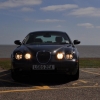 Hi, I've had my 41,990 miler for 4 weeks it's returning an average of 39.3 mpg on my 100 mile a day commute on A roads stuck at 50mph in single lane traffic, which is good for such luxurious trips to work. It was sitting at 35 mpg until I changed a filthy air filter and started putting a drop of 2 stroke in at refills. It's all smoother and no puff of black smoke on accel (my range rover sport tdv6 benefitted for 2 years when I had that as Commuter limo. Paul
