
Do Not Sell My Personal Information
Jump to content
View in the app

A better way to browse. Learn more.

Jaguar Owners Club

A full-screen app on your home screen with push notifications, badges and more.

To install this app on iOS and iPadOS
  1. Tap the Share icon in Safari
  2. Scroll the menu and tap Add to Home Screen.
  3. Tap Add in the top-right corner.
To install this app on Android
  1. Tap the 3-dot menu (⋮) in the top-right corner of the browser.
  2. Tap Add to Home screen or Install app.
  3. Confirm by tapping Install.

lambretta

Members
  • Joined

  • Last visited

  1. hi all i have flat battery but cant open the bonnet it unlocks one side but seems to be still locked on the another side please help its a xtype
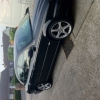
  2. hi.i have the front badge just nothing at all on back of car,apart from that best car ive ever owned love it, has a lovely set of split rims with growler badges, never seen a set of these on any other jag ,an upgrade ?
  3. hi , i have a black 3.0 sport man, 2001. it has no badges on it , did the sports not have badges on them ?

Background Picker
Customize Layout

Configure browser push notifications

Chrome (Android)
  1. Tap the lock icon next to the address bar.
  2. Tap Permissions → Notifications.
  3. Adjust your preference.
Chrome (Desktop)
  1. Click the padlock icon in the address bar.
  2. Select Site settings.
  3. Find Notifications and adjust your preference.