


WR1
Members
-
Joined
-
Last visited
-
 Thanks for your reply. I didn't think of that. I'll give it a try.
 -
Thanks for your reply, Peter. That's a pity. I've seen a few pages whilst Google-ing showing how to program a key fob, all are consistently reporting the same technique, so I was hoping to give that a try, and not pay dealer prices for a new one.
-
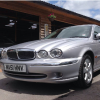
Hello everybody, Just popping in to say hi as the proud owner of my first Jaguar - a 2001 X-Type. I always wanted a Jaguar - I'd have really liked an XF, but the X-Type is just fine! Couldn't resist it, only 55K on the clock, full service history, brand new winter tyres, loads of receipts. Previous owners really did look after it. The only thing I'd like to change is the number plate. To me, it doesn't look like a 2001 car! Oh, and if anybody can point me in the right direction to get a replacement key fob at a reasonable price (it only came with 1 key fob), I'd really appreciate your advice.


