


Serious4play
Members
-
Joined
-
Last visited
Everything posted by Serious4play
-
 Hi, Peter and Trevor thank you both for your welcomes and your replies they are all very helpful and I look forward to being in these forums and sharing info. Many Thanks, Roger.
 -
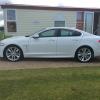
Hi, just bought my first Jag and very pleased so far. Hopefully pic attached of my baby!! I was looking to know, my xf has rear parking sensors and I would like to add a reversing camera and front sensors to it. Can anyone advise me of the full/correct procedure for doing this? What all parts do I need so I can order exactly what I require and if you have a rough idea of price would be great. If you can be as detailed as possible would be really appreciated as I'm a technophobe and need to be spoon fed lol. Thanks all

