


usman93
Members
-
Joined
-
Last visited
-
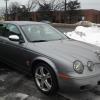 Hi. I have a jaguar s type r 2007 with 67000 miles on it and recently I had rear differential replacement on it under extended warranty. After the differential replacement every time I drive at the speed of 100 mph the cruise not available warning appears on my dash board, I do not engage cruise while driving at 100 mph the warning just comes and there is no CEL and any codes and the warning stays there until I turn off the ignition and restart the car. The car also slightly jerks when it hits the 100 mph mark on the speedometer and then continues to drive fine. This problem did not happen before the differential replacement as I drove it over 100 mph many times on highway before. I dropped the car back to the Jaguar dealer and they could not pin point what the problem was, they just updated the ECM and TCM but that did not solve the problem. Kindly help.
