


little-red-q
Members
-
Joined
-
Last visited
-
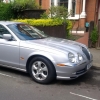 Please count me in for convoy + main event 2000 S-type 3.0 V6 Driver only only at the moment! Thanks
 -
Me again Er.....a few inches to the left of this connector was the OBD2 connector I was looking for So nothing to see here and... ...I'll get me coat
-
Hello I have a 2000 S-type 3.0 V6 petrol and the check engine amber light came on a couple of weeks ago while coming back from the Brighton meet. Car is running fine but I bought a OBD2 scanner to find out what was going on. However, the OBD (in the driver's footwell) appears not to be OBD2. Was a differerent OBD socket fitted to earlier S-types? It is 16 pin like the scanner but the plastic bar on the scanner plug between the two rows of pins prevents me from plugging it in to the socket. Any help would be much appreciated Chris

-
Just got an S-type (2000, 3L V6) this weekend and I guess I will have figured out what all the bells and whistles do by May 24th so am definitely interested in taking part in the convoy.

