
Do Not Sell My Personal Information
Jump to content
View in the app

A better way to browse. Learn more.

Jaguar Owners Club

A full-screen app on your home screen with push notifications, badges and more.

To install this app on iOS and iPadOS
  1. Tap the Share icon in Safari
  2. Scroll the menu and tap Add to Home Screen.
  3. Tap Add in the top-right corner.
To install this app on Android
  1. Tap the 3-dot menu (⋮) in the top-right corner of the browser.
  2. Tap Add to Home screen or Install app.
  3. Confirm by tapping Install.

Shep

Members
  • Joined

  • Last visited

  1. Shep replied to Shep's topic in Jaguar XF Club
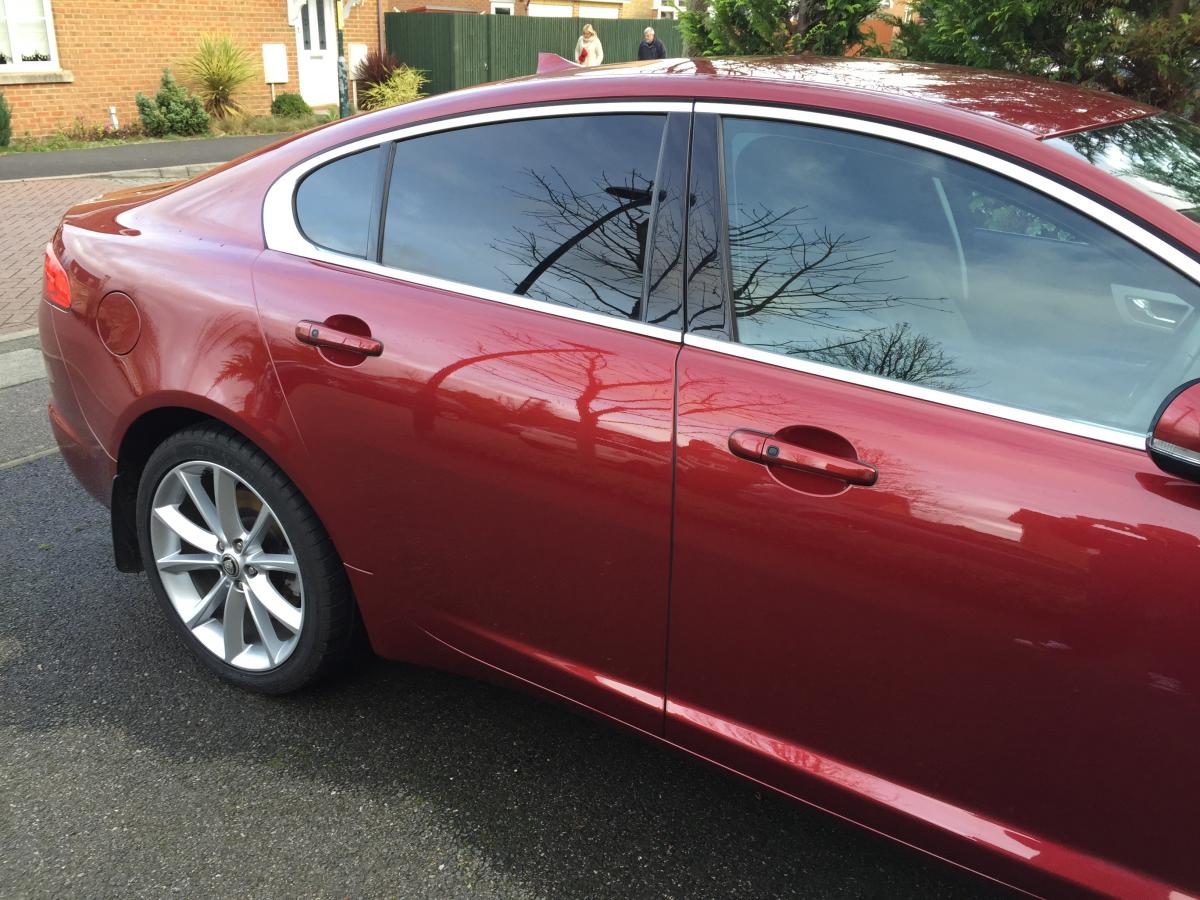
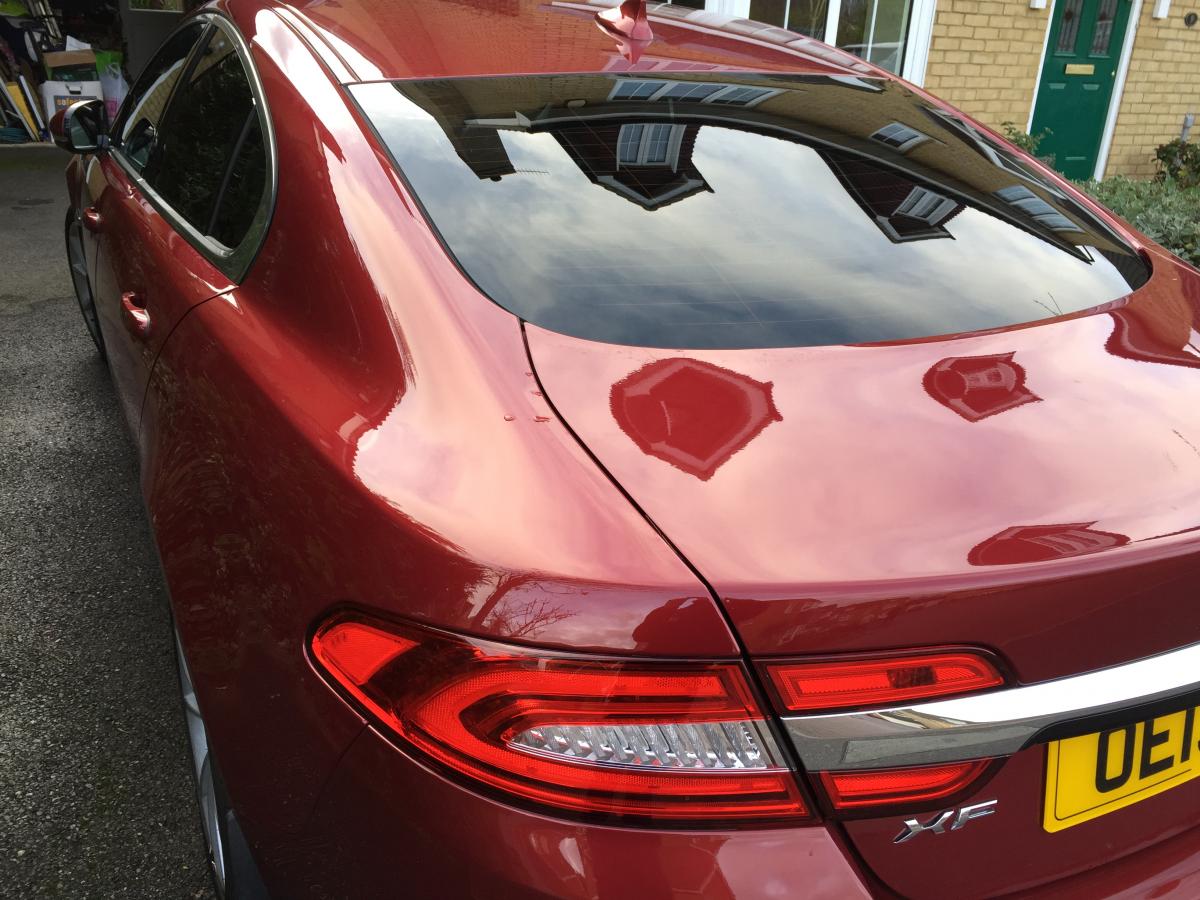
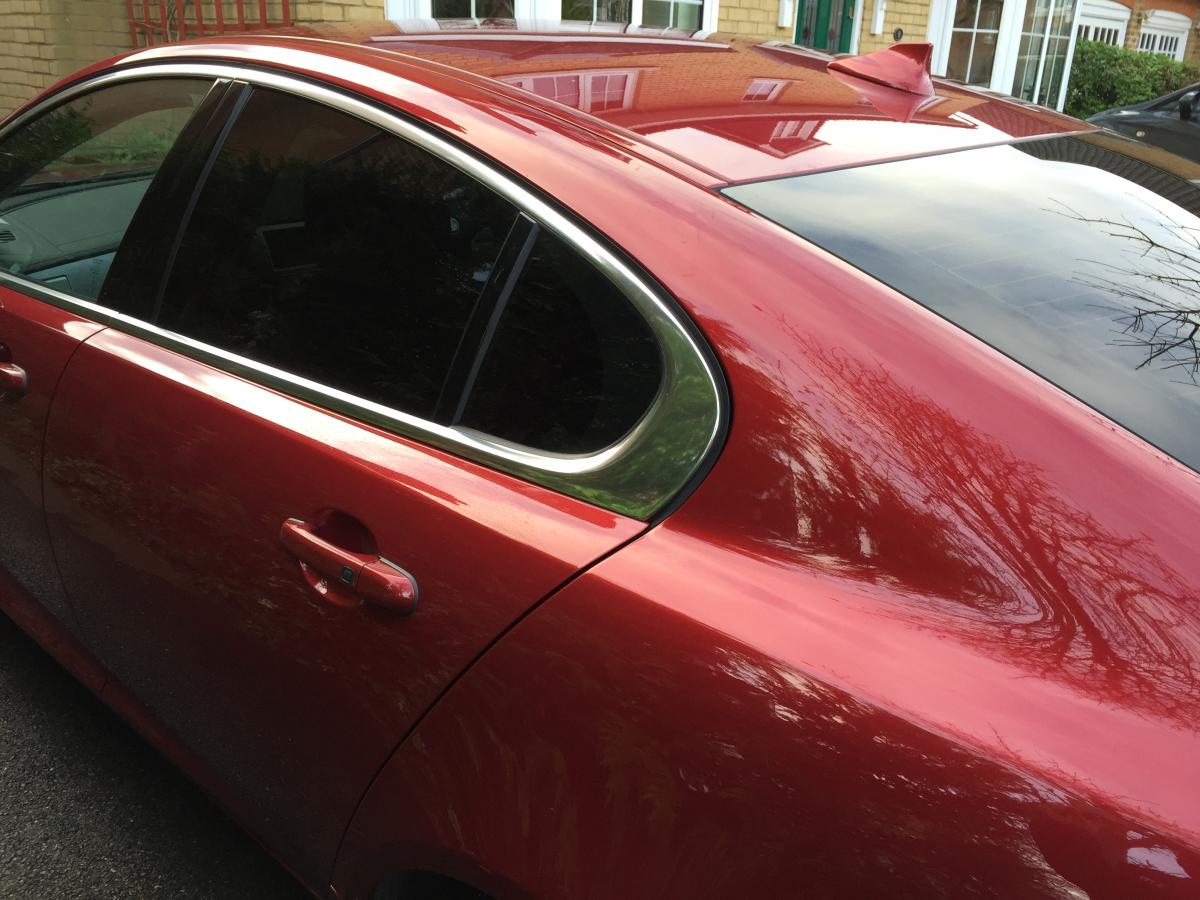
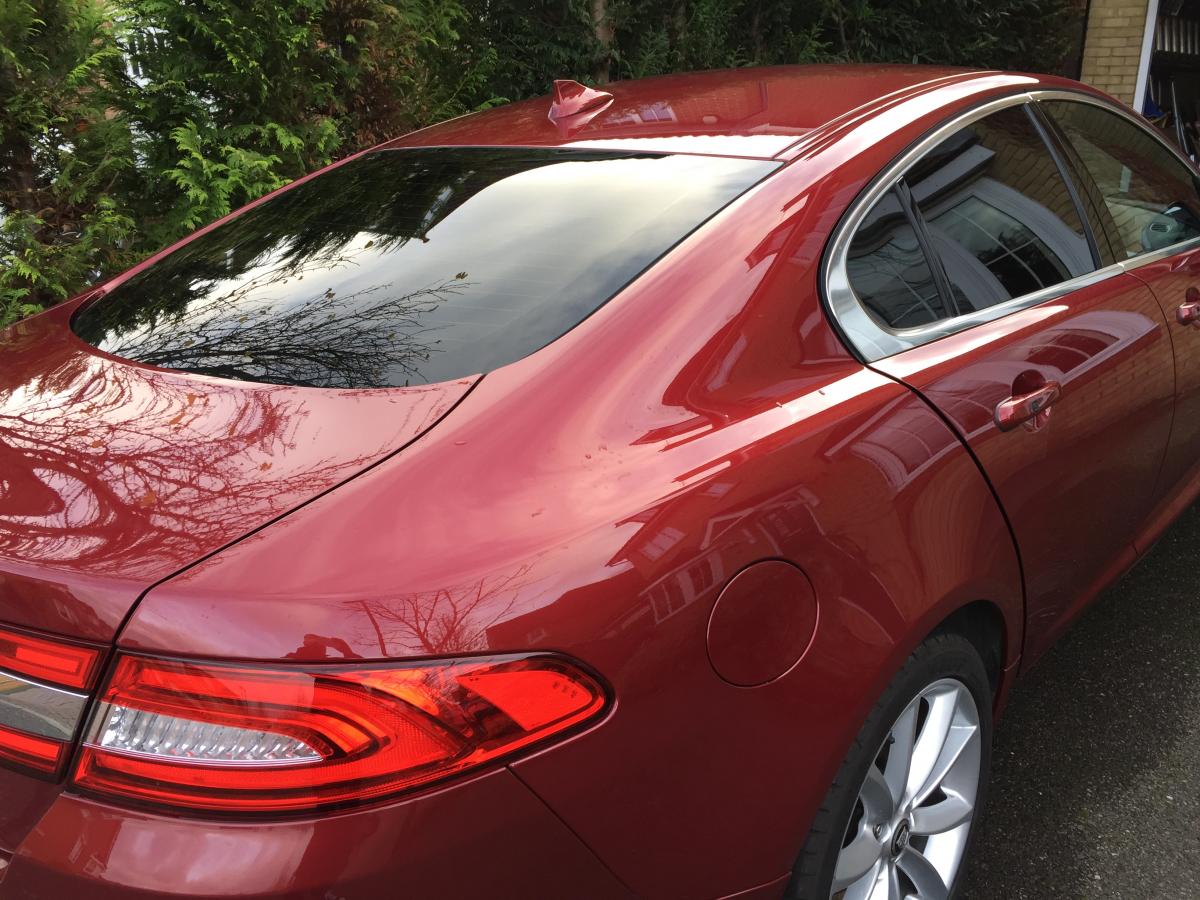
    Thanks for all your comments whether pro or con. I've had them done and I think they look great. Visibility isn't hindered at all. Back doors windows I had fitted the darkest film fitted and the rear window one shade lighter as I was worried about the high level brrake light - but to be honest makes little difference to brightness. Pickys below, let me know what you think. :)
  2. Hi All, Has anyone had their rear windows tinted and if so can you post some pictures to show us all. I am thinking about having it done, but not sure how the finish around the high level brake light looks. Cheers Shep.
  3. Hi All Pick up my XF on Saturday - Cannot wait, it will be my first Jag - excited :D Look forward to some stimulating reads and chat on the forum. Shep.
Background Picker
Customize Layout

Configure browser push notifications

Chrome (Android)
  1. Tap the lock icon next to the address bar.
  2. Tap Permissions → Notifications.
  3. Adjust your preference.
Chrome (Desktop)
  1. Click the padlock icon in the address bar.
  2. Select Site settings.
  3. Find Notifications and adjust your preference.