


Dealdowns
Members
-
Joined
-
Last visited
-
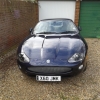 I have just had a strange occurance with my XK8 4.2S, coming down the A1 from a long weekend away. The engine magagement light came up. Stoped, called RAC, said all was fine . So The next day I took the car to my local Jaguar Garage, E & E Jaguar of Milton Keynes to sort the matter out. Later that day, they called and told me that on the main air duck trunking going to the engine on the corrigaged section was a row of neatly freshly nawed holes. They sudgest either from a mouse, squirel or simular type roden. They have and no one I know of in the jagaur world around here have seen anything of the like. I only wish they had taken a photo to show everyone :D . Has anyone else had a simular problems.
 -
Details & Photos of my Car
-
From one newbe to another welcome.


