
Do Not Sell My Personal Information
Jump to content
View in the app

A better way to browse. Learn more.

Jaguar Owners Club

A full-screen app on your home screen with push notifications, badges and more.

To install this app on iOS and iPadOS
  1. Tap the Share icon in Safari
  2. Scroll the menu and tap Add to Home Screen.
  3. Tap Add in the top-right corner.
To install this app on Android
  1. Tap the 3-dot menu (⋮) in the top-right corner of the browser.
  2. Tap Add to Home screen or Install app.
  3. Confirm by tapping Install.

Groomie

Members
  • Joined

  • Last visited

  1. Groomie changed their profile photo
  2. Thanks for that Budgie, mines the same just a seep, I like things right, however, same as yourself I,ve decided its a job for the backburner. If you get round to doing yours and its not too difficult maybe you could let me know, use yours as a practice run and maybe you fancy doing another one now you have all the gear. Best Regards Roy Groom
  3. Thanks for that, I'll see if I can find somebody local.
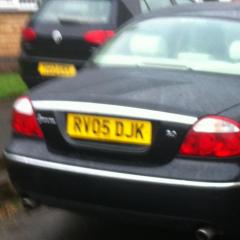
  4. Jaguar S Type 3 ltr petrol 2005. I have a minor oil leak I think from the sump gasket. I was quoted £560.00 by Guy Salmon to replace it. I understand it is a huge job but for that kind of money I'll put up with it. Any suggestions???
  5. I've got a RH Brake light failure message up. However, its not the bulb or a fuse as the bulb lights up but very dim. Any Ideas??

Background Picker
Customize Layout

Account

Navigation

Search

Configure browser push notifications

Chrome (Android)
  1. Tap the lock icon next to the address bar.
  2. Tap Permissions → Notifications.
  3. Adjust your preference.
Chrome (Desktop)
  1. Click the padlock icon in the address bar.
  2. Select Site settings.
  3. Find Notifications and adjust your preference.