


DGM247
Premium Member
-
Joined
-
Last visited
-
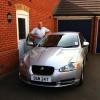 Hello everyone. Just thought I would introduce myself. I have just bought a silver 2011 XF V8 Premium S with 20k on the clock. This is my third Jaguar having owned a red S Type from 2003 until 2005, when my son started at Uni, and then a silver S Type from 2008 until my recent purchase. Both S Types were superb, especially my silver one, which because of work, I put on 80k in six years! I loved that car. Now into my third year of retirement, I have splashed out. I wanted an XK. "She who must be obeyed" was not quite convinced, so the XF was considered a compromise. However, there is no compromise with my XF, as it delivers all that I want and need. And when I need to accelerate, the roar from the V8 is just awesome! Many thanks to the Jaguar dealerships in Swindon and Coventry for their guidance, advice and service delivery. I am so proud to join this club. The history and integrity of Jaguar is second to none. Thanks for the warm welcome.
