


Geoffj
Members
-
Joined
-
Last visited
-
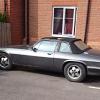 Hi all I'm New to the world of Jag ownership after recently buying a 1986 XJSC. It needs a fair bit of work doing to it, have got going with it but have hit a few sticking points I hoped someone could help with.....can anyone recommend a mobile windscreen seal replacement service? Autoglass has already been rejected. Thanks in advance for suggestions
