


soulnrockman
Premium Member
-
Joined
-
Last visited
-
 My x type has swapped over to metric display from Imperial and won't change back despite the red highlight moving to Imperial when I try to change it
 -
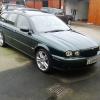
depends on the light..it looks black when it's dark!
-
Thanks Ron, it's racing green.
-
Having polished it up I am now taking your advice and really enjoying the Jaguar experience, all I've got to do now is sell my Alfa 166 and I'll be a happy man!
-
Hello all, I've switched allegiance from an Alfa 166 to a lovely X type 3.00 V6 Sport Premium estate, 3ltr.2005 reg and two owners from new, last one since 2008. 30,000 miles and full Jag main dealer service history....checked it today and get it on Thurs.Any advice or hints welcome!Steve
