


Shaunio666
Members
-
Joined
-
Last visited
Everything posted by Shaunio666
-
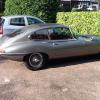 Hi all I have collected old cars for years and this has included a number of Jaguars and Daimler. I tend to buy neglected cars and then spend time restoring them back to use. My current projects include a '67 E Type series 1 2+2 , a '76 XJC 4.2 and a lovely low mileage Daimler Double Six Coupe from the same year. Nobody who does this properly does it for the money as the time taken and cost of parts far exceeds any eventual profit but I don't buy expensive clothes or belong to any costly golf clubs so I guess it's a hobby that pleases me. Writing this intro is a bit like going into therapy as I rarely consider my motivation for what has become quite an extensive collection including a bunch of series 1 Land Rovers, a Morris 8 pre series tourer, an MG RWA Midget, VW Devon, Jeep CJ6 and a Moggy convertible. Oh, and a 280 GE Mercedes. Anyway, that's enough for now, I am glad to be here. Cheers Shaun
