


welshpirate
Members
-
Joined
-
Last visited
-
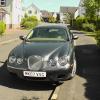 Just purchased a 2.7 d SE S type 07 reg with all the bells and whistles. I am now familiarising myself with my Jaguar. Having owned most makes of car in my time my ambition was to one day own a jaguar having grown up in the 1950's and being an admirer of the jaguar marque for its British engineering and quality of manufacture. Having now retired I can now fulfil my ambition.
 -
