


ChrisFraser1982
Members
-
Joined
-
Last visited
Everything posted by ChrisFraser1982
-
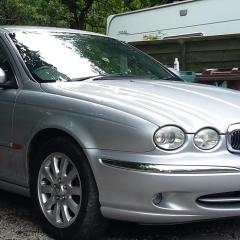 Good afternoon x-type fans, I have a 2001 2.5 AWD. It has had extensive work done on the underside to remove the rust worm and after spending sooooo much I have decided to put the old girl back to factory quality. Do any of you have a clue or a reliable source for the window trim (Waist trim)
 -
Hi all, just a quick question.....I have a 2002 2.5 V6 X-Type AWD and there is a lot of travel in the handbrake, can this be adjusted? If yes where about is the adjuster? Thank you for your help
-
-

From the album: Big Cat Little Cat
-

From the album: Big Cat Little Cat
-

From the album: Big Cat Little Cat
-

From the album: Big Cat Little Cat
-

From the album: Big Cat Little Cat
-
Hi, I have a 2001 XJ8 the other day I drove approx. 45 miles on the motorway without a hiccup....stopped the engine for about 30 mins the went to start her again and nothing... the engine spins then a orange light pops up and a message 'ENGINE FAILSAFE' but the engine won't fire. I have had the AA out to it and they couldn't find any codes on the ECU to point to a specific error. and their Jag Specialist hasn't got a darn clue? ANY IDEAS? I have tried several things....drained the system to 0.000v DC then reconnected the battery Still no fire reseated all the plugs inc throttle body Still no fire checked voltage to mass air flow that's fine and checked the brake pedal switch this is working fine. PLEASE HELP AND THANKS IN ADVANCE


