


Poacher
Members
-
Joined
-
Last visited
-
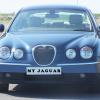 Hi John Not good I'm afraid. I have had my 2.7d 2005 for over two years now and it has done 102k miles. On a motorway run I get around 45 and overall around 36mpg. I've always thought that quite a decent return.
 -
Thank you Peter. I will pursue this one.
-
I have a 2005 S-type with a single CD player/radio. I have contemplated installing a CD changer in the boot (the connections are there), but would prefer a modern radio that will accept USB or SD card. Any recommendations please - and how easy is it to change the unit?
