


Sparky46
Members
-
Joined
-
Last visited
-
 Thanks for the information and look forward visiting is the meet invite or turn up Steve
 -
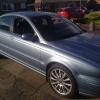
Hello all Great to see a members site for sharing ideas and suggestion's, looking forward to learning and helping others with experience etc Having been put off by scare mongers regarding fuel economy lol I have purchased X Type 2.0d Sports and It is the best built car I have owned to date. Steve
-
-
-
-
 Having drove this second hand Jaguar there is no way I am ever driving anything else


